Porting Bluestone over to SlimDX has been a lot easier than I anticipated so I thought I'd post a video of it up and running. There are still a few systems yet to be ported but the core is fully functional.
The video shows a couple of scenes being rendered although I've edited out the sections of video where it's rendering. The render times are quick but still, I figure you have better things to do :) I've noted the actual render times on screen wherever an edit has taken place.
A few words about the technique I use in the videos. I basically start out with a direct light pass and make sure that everything is as it should be. Once I'm happy with that I do a few quick low quality GI bounces to illuminate the shadowed areas. Usually about 256 - 512 rays, depending on the scene. Once that's looking good and I can see that light is getting into all the corners I do a final pass at about 2000 - 4000 rays to get the final result.
I'm really keen to hear peoples thoughts on Bluestone so send me an email or leave a comment. I especially want to hear from you if you're working on something and think Bluestone would be useful as I'm looking for testers.
Showing posts with label lightmap. Show all posts
Showing posts with label lightmap. Show all posts
Friday, 15 October 2010


Wednesday, 13 October 2010
Bluestone GPU lightmapper update

2.1 million sample points rendered in 6 seconds (Bluestone screenshot)
The GPU lightmap renderer I've been developing (Bluestone) is written in XNA. It's always been a concern that the remit of XNA most definitely isn't GPU lightmap renderers but until recently that hasn't been an issue. Unfortunately, the changes made to the framework in XNA 4.0 (link) mean that using XNA for this type of application is probably no longer practical. The biggest issue for me is the loss of control over render targets and depth buffers. In XNA 4.0 render targets are automatically assigned depth buffers. Meaning it's no longer possible to reuse a single depth buffer among multiple render targets, which is what Bluestone requires.
In order to move the project forward I needed to look elsewhere. There were a few different options but I've gone with SlimDX, for several reasons. I can stick with C# for one but it also has the advantage of opening up a lot of very nice DirectX 10 features not available in XNA. So far the porting has gone well and both the direct and indirect lighting systems are in place.
In related news, an unexpected win was a decrease in global illumination render times. I made some alterations to the GI shader which have worked wonders. I need to test it more widely but the improvement seems to be about 30% in most cases.
Friday, 17 September 2010
Thin UV charts...
Been awhile but despite appearances I have had my nose to the pixelated grindstone. I'm hoping to have a nice light volume demo ready soon so I'm looking forward to showing that off. Until then I thought I'd share the solution to a niggling problem that's been bugging me for quite some time.
The problem occured when attempting to pack a lot of very thin UV charts into a lightmap. Sections of these thin charts would often fail to render leading to black splinters on the final lightmap. Figure 1 below demonstrates this. The pillar shown is one of 12 packed into a single 512x512 lightmap.
 Figure 1. Thin UV charts fail to render and cause black splinters in the resulting lightmap.
The solution is very straight forward thankfully. All that needs to be done is to check the length of every UV edge and stretch any that are too close. Initially I checked each edge length and moved UV vertices whenever they were too close together. This lead to vertices sometimes being moved more than once and often in very different directions, leading to some pretty messed up UV's. Instead, I found it was better to determine the average of these potential new vert positions, and then move the vert to that average position. Figure 2 shows the improvement.
 Figure 2. Thin charts have been expanded, no more splinters.
The lightmap remains the same size and large UV charts are unneffected. I thought I'd post in case anyone else out there was having the same problem. This might only be a problem with Microsofts UVAtlas but I seem to recall it happens with Max's built in unwrap tool as well. If anyone is interested in the script let me know and I'll make it available.
The problem occured when attempting to pack a lot of very thin UV charts into a lightmap. Sections of these thin charts would often fail to render leading to black splinters on the final lightmap. Figure 1 below demonstrates this. The pillar shown is one of 12 packed into a single 512x512 lightmap.

The solution is very straight forward thankfully. All that needs to be done is to check the length of every UV edge and stretch any that are too close. Initially I checked each edge length and moved UV vertices whenever they were too close together. This lead to vertices sometimes being moved more than once and often in very different directions, leading to some pretty messed up UV's. Instead, I found it was better to determine the average of these potential new vert positions, and then move the vert to that average position. Figure 2 shows the improvement.

The lightmap remains the same size and large UV charts are unneffected. I thought I'd post in case anyone else out there was having the same problem. This might only be a problem with Microsofts UVAtlas but I seem to recall it happens with Max's built in unwrap tool as well. If anyone is interested in the script let me know and I'll make it available.
Thursday, 20 May 2010
More realtime tests
The street scene running in the realtime renderer. The diffuse and specular textures have all been thrown on really quickly.


... and some more random dynamic lights ...


Wednesday, 19 May 2010
Realtime tests
Thought I'd blow the dust off an old render engine I was working on to test the lightmaps I've been generating. The scene's pretty basic but the lightmap (1024^2) is working well I think. I'll post some more complex scenes soon.


The old engine was a light pre pass type renderer so here's the scene rendered with 64 dynamic point lights. I also baked an ambient occlusion map to help modulate the lighting.


Thursday, 13 May 2010
Mental Ray comparison
I've been meaning to compare lightmap render times with mental ray for quite a while so here are the results for a 1024^2 lightmap. An example of the test scene can be seen in this post. Direct and indirect light were calculated but I've only shown indirect light below.


Max 2010 / Mental Ray: 28 minutes

Settings:
Final Gather set to 'High' preset with 1 diffuse bounce.
Lanczos filtering with 1 / 16 samples.
Logarithmic exposure control
Lit with mental ray sun / sky system
My app: 1 minute 30 seconds

Settings:
3 bounces (total of roughly 9000 rays per sample point)
Lit with 1 directional light and HDR environment probe.
System specs.
Vista 64bit
4gb ram
Intel Core 2 Duo E6850 @ 3.0ghz
Geforce 8800 gtx w/768mb ram
More renders


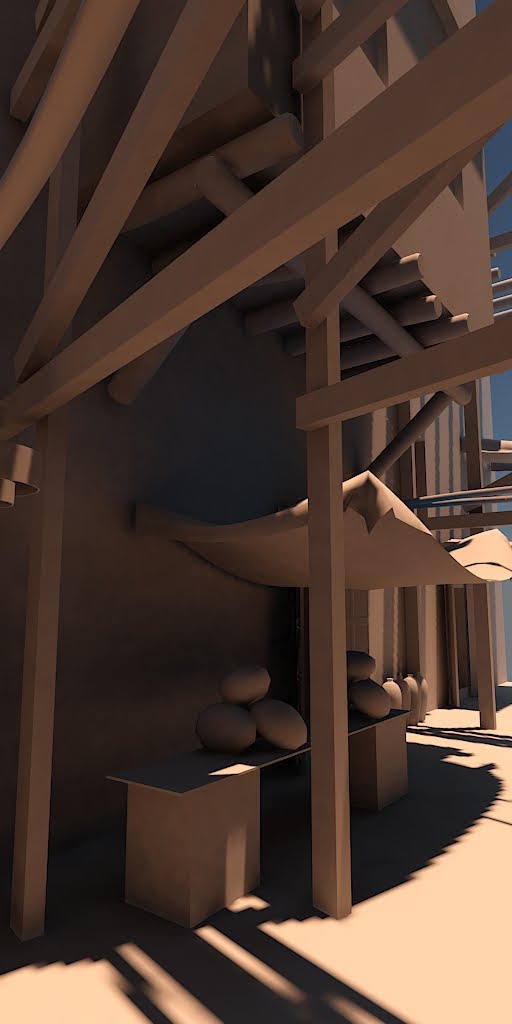
An update to yesterdays post, the lightmaps used in these shots were generated by my app and then rendered with mental ray. As before, no GI was used in max and the scene is lit with seven 1024^2 lightmaps. I haven't distributed the texel density of the scene very well so the shadow detail on the street / building surfaces suffers.



Wednesday, 12 May 2010
Lightmaps rendered in 3ds max


Sunday, 9 May 2010
Environment test II


I've added some more detail to my exterior test scene, here are the results. The scene is lit by seven 1024 x 1024 light maps.


The lightmap shown covers the street and building geometry.
1st pass direct light, 464 subsurface samples and 464 final gather samples (52 seconds)
2nd pass 464 fg samples (23 seconds)
3rd pass 4454 fg samples (3 minutes 34 seconds)


1st pass direct light and 464 final gather samples (35 seconds)
2nd pass 464 fg samples (22 seconds)
3rd pass 4454 fg samples (3 minutes 30 seconds)
Subscribe to:
Posts (Atom)