Pages

Showing posts with label uv. Show all posts

Friday, 17 September 2010

Thin UV charts...

Been awhile but despite appearances I have had my nose to the pixelated grindstone. I'm hoping to have a nice light volume demo ready soon so I'm looking forward to showing that off. Until then I thought I'd share the solution to a niggling problem that's been bugging me for quite some time.

The problem occured when attempting to pack a lot of very thin UV charts into a lightmap. Sections of these thin charts would often fail to render leading to black splinters on the final lightmap. Figure 1 below demonstrates this. The pillar shown is one of 12 packed into a single 512x512 lightmap.

Figure 1. Thin UV charts fail to render and cause black splinters in the resulting lightmap.


The solution is very straight forward thankfully. All that needs to be done is to check the length of every UV edge and stretch any that are too close. Initially I checked each edge length and moved UV vertices whenever they were too close together. This lead to vertices sometimes being moved more than once and often in very different directions, leading to some pretty messed up UV's. Instead,  I found it was better to determine the average of these potential new vert positions, and then move the vert to that average position. Figure 2 shows the improvement.

Figure 2. Thin charts have been expanded, no more splinters.

The lightmap remains the same size and large UV charts are unneffected. I thought I'd post in case anyone else out there was having the same problem. This might only be a problem with Microsofts UVAtlas but I seem to recall it happens with Max's built in unwrap tool as well. If anyone is interested in the script let me know and I'll make it available.

Friday, 23 April 2010

Simplifying the UV process and more area lights

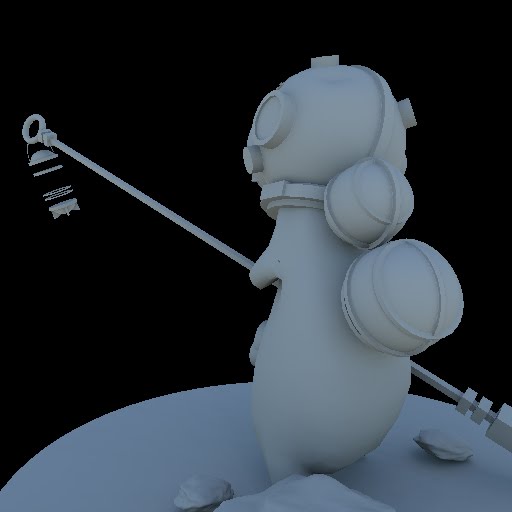
Thought I'd post some more test images. I built this little guy a few years back for a short animated film project and he's been gathering dust ever since. I've recently been experimenting with an automatic UV unwrap tool so I thought I'd try it out on him. Max's built in auto unwrap is okay for geometry with hard angles but it tends to create a lot of separate UV charts when presented with curved surfaces. This UV tool does the whole thing remarkably well with one button click which is brilliant. These shots are all straight from the lighting tool.

Scene Stats:
5 / 6 objects each using a 512 x 512 lightmap
1280 FG samples
Render time: ~17 seconds

Environment light only

Environment light + cylindrical area light

1 cylindrical area light + 2 rectangular area lights

And some stills from the original animation just for the hell of it :)